MRX Learning Center
How to Build a Texas Mineral Production Record Locator Sheet
A production-record locator sheet preserves the exact official route, query system, displayed record class, identifier, covered period, access date, source note, result reference, and bounded retrieval status.
Direct answer for mineral owners
Open the official RRC route and record the exact query-system name, displayed record class, identifier type and value, covered period, access date, source-stated update or reporting note, and a controlled reference to the result. Use only located, not located, or unverified. The locator sheet proves the retrieval trail, not a property connection, ownership, payment right, production interpretation, record completeness, or value.
Key takeaways for mineral owners
- Name the exact official RRC route and query system instead of writing only RRC data.
- Preserve identifier type and value, displayed record class, covered period, and access date as separate fields.
- Copy the source-stated update, lag, revision, or reporting note without converting it into a completeness claim.
- Use located, not located, or unverified and keep the retained result reference controlled.
- Stop before property connection, ownership, entitlement, performance, forecasting, valuation, or transaction conclusions.
Public-record locator boundary. This article records a Texas public production-record retrieval trail. It does not determine value, true value, worth, price, range, fairness, offer quality, ownership, title, acreage, lease effect, well-to-property connection, royalty decimal, payment entitlement, regulatory compliance, operator responsibility, production status, performance, decline, reserves, development, cash flow, record completeness, currentness, accuracy, applicability, review sufficiency, or a transaction result. It does not interpret a public record or provide legal, title, land, tax, accounting, appraisal, engineering, geological, reserve, investment, or financial advice. MRX provides educational information and resources only and does not buy mineral rights.
A Texas mineral production record locator sheet answers one narrow question: where did this public result appear, and what exact retrieval path produced it? Record the official source route, named query system, displayed record class, identifier type and value, covered period, access date, source-stated update or reporting note, and a controlled result-reference location.
Use only three statuses: located, not located, or unverified. Those labels describe retrieval, not truth. A located row does not prove that a record belongs to a private mineral interest, is complete, supports payment entitlement, or can be used in a valuation.
Start with the official RRC route
The Railroad Commission of Texas Research Queries directory lists separate systems for production data, production reports, wellbores, imaged records, maps, operators, permits, and other subjects. The directory also publishes update-frequency labels for many systems.
Copy the route you actually opened. RRC website is not specific enough. A locator row should distinguish among:
- the Research Queries directory;
- the Oil and Gas Production Data page;
- Production Data Query, or PDQ;
- Production Reports Query;
- Wellbore Query;
- Oil and Gas Imaged Records; and
- a specifically named downloadable dataset.
The directory warns that online datasets are continually updated, informational, non-authoritative, and without legal force. Preserve that limitation in the sheet. Do not replace it with a stronger statement about what the result proves.
For a broader orientation to the agency’s systems, use Texas Railroad Commission: How to Use Public Records to Understand Your Mineral Rights. This worksheet has a smaller job: preserve the retrieval trail for one production-record search.
Give the search a neutral locator ID
Create a locator ID that does not publish a private owner name, account number, legal description, payment detail, or confidential file path. A neutral pattern such as TX-PROD-LOC-01 is enough for a reusable example.
At the top of the sheet, record:
- Locator ID: a stable neutral label for this search attempt.
- Research purpose:
public production-record location only. - Access date and time: when the route or result was viewed.
- Timezone: the timezone used for that timestamp.
- Prepared by: a role or controlled internal identifier, not unnecessary personal data.
- Version: the version of the locator sheet.
If the search is repeated, add a new attempt row. Do not silently overwrite the earlier route, identifiers, period, or status. Public systems and displayed results can change.
Record one row for each retrieval attempt
Use one row for every route, query, or dataset checked. Keep these fields separate:
- Official source route: the full HTTPS page or application route opened.
- Query-system name: the exact name displayed by the RRC.
- Displayed record class: production query, production report, wellbore result, imaged record, or named dataset.
- Identifier type: API number, oil lease number, gas well ID, district, field, operator, county, lease name, well name, or another displayed field.
- Identifier value: the value entered or displayed, stored in an appropriately controlled file.
- Query path: the sequence of result levels used inside the system.
- Covered period requested: the date range entered or the period named by the source.
- Covered period displayed: the period shown on the result, when stated.
- Access date: when this attempt occurred.
- Update or reporting note: the source’s own cadence, lag, revision, or coverage note.
- Result-reference location: a controlled path to an authorized screenshot, copied table, PDF, or file reference.
- Status:
located,not located, orunverified. - Neutral follow-up: the next retrieval question, without assuming its answer.
Use not stated when the official page does not state a field. Use not applicable to this route when a field truly does not apply. A blank cell can look accidental.
Keep identifier type and identifier value together
An identifier without its type can be misleading. The same digits can play different roles in different systems. Always write the field name next to the value.
Examples of locator pairs include:
API number: [controlled value];oil lease number and district: [controlled values];gas well ID: [controlled value];field name: [displayed value];operator name: [displayed value]; andlease or well name: [displayed value].
The RRC Oil and Gas Well Records page identifies request fields such as county, approximate drilling date, lease or well name and number, operator, field, Commission number, and survey location. Those are locator fields. They do not establish private ownership, property connection, royalty rights, payment entitlement, or the meaning of a filed record.
If two routes display different identifiers, record both source paths and label the relationship unverified. Do not merge them merely because names or numbers look similar.
Preserve the reporting level without interpreting it
The RRC Production Data Query System FAQs explain that Texas oil production is reported by oil lease and can include multiple wells on one lease, while a gas lease contains one gas well. The FAQ also says PDQ can present Texas production information by lease, field, operator, district, or county for its stated coverage period.
Your sheet should therefore record the displayed record class and reporting level exactly. Do not rewrite a lease-level oil result as an individual-well result. Do not infer a private mineral-interest connection from a shared name, nearby location, or visible identifier.
This worksheet does not reconstruct royalty statements. For that separate job, use Converting Monthly Royalty History Into a Valuation Baseline. It also does not fit decline curves or project future cash flow; that belongs to Decline Curves and Future Royalty Cash Flow.
Separate the requested period from the displayed period
Record the dates in distinct fields:
- the period entered in the query;
- the period displayed in the result;
- the source-stated reporting or update date;
- the date the page or file was accessed; and
- the date an authorized result copy was retained.
The PDQ FAQ describes a reporting lag, later revisions or corrections, delinquent reports, and a monthly update cadence. It characterizes production reports as a snapshot in time. Copy the applicable source note into the row. Do not convert the note into current, complete, accurate, or verified.
A useful row might say: located; displayed period recorded; source monthly-update and revision note attached. It should not say: production confirmed.
Preserve the query path and result reference
The PDQ FAQ recommends using the system’s Query Path links or Return buttons instead of relying on the browser Back button, which can produce inconsistent navigation in dynamically generated results. Record the path used inside the query so another authorized reviewer can attempt the same route.
For each result reference, record:
- the locator ID and attempt number;
- the official route;
- the query path;
- the identifier type and controlled value;
- the displayed result class and period;
- the access timestamp;
- the authorized file or screenshot location; and
- a file hash when your records process uses one.
The result reference is not the same as the live page. A live page may later display a different update. Keep the locator row tied to the retained object without publishing private identifiers.
Distinguish a named dataset from an online query
The RRC Production Data page links multiple compilations, production queries, and the data-download directory. The Data Sets Available for Download page identifies named datasets, formats, and stated schedules, including a Production Data Query Dump.
If a later authorized workflow uses a dataset, the locator sheet can record:
- the exact official dataset label;
- the source route;
- the file format stated by the publisher;
- the update schedule stated on the page;
- the access date;
- the controlled downloaded-file reference; and
- the retrieval status.
Do not use the sheet to select between a query and a dataset, convert a file, evaluate data quality, reconcile rows, calculate production, or decide whether the file is fit for a later purpose. Those are different jobs.
Use bounded status labels
Keep the status vocabulary small:
- Located: the named official route returned or exposed an identified result reference.
- Not located: the recorded attempt did not expose the sought result.
- Unverified: a result or identifier appeared, but its meaning, relationship, or applicability was not established.
Located does not mean connected, complete, accurate, current, applicable, or sufficient. Not located does not mean nonexistent. Unverified does not imply error or wrongdoing. It simply preserves the limit of the retrieval attempt.
Turn uncertainty into neutral questions:
- Which official route displays the identifier type shown in the private file?
- Does another RRC system expose a different record class for the same displayed identifier?
- What period does the result itself state?
- What update, lag, revision, or coverage note does the source publish?
- Where is the authorized result reference stored?
Do not turn a retrieval question into a conclusion about property, payment, operations, compliance, or value.
Protect private information
A reusable example sheet should stay blank. Store actual identifiers and retained results in a controlled location. Avoid publishing owner names, addresses, account numbers, payment instructions, signatures, legal descriptions, private correspondence, or private file paths.
The RRC well-records page also states that the Commission lacks authority over private lease and royalty matters, royalty payments, the right to receive royalties, property rights, financing, and investment matters. A public-record locator does not replace the private instruments or qualified review needed for those questions.
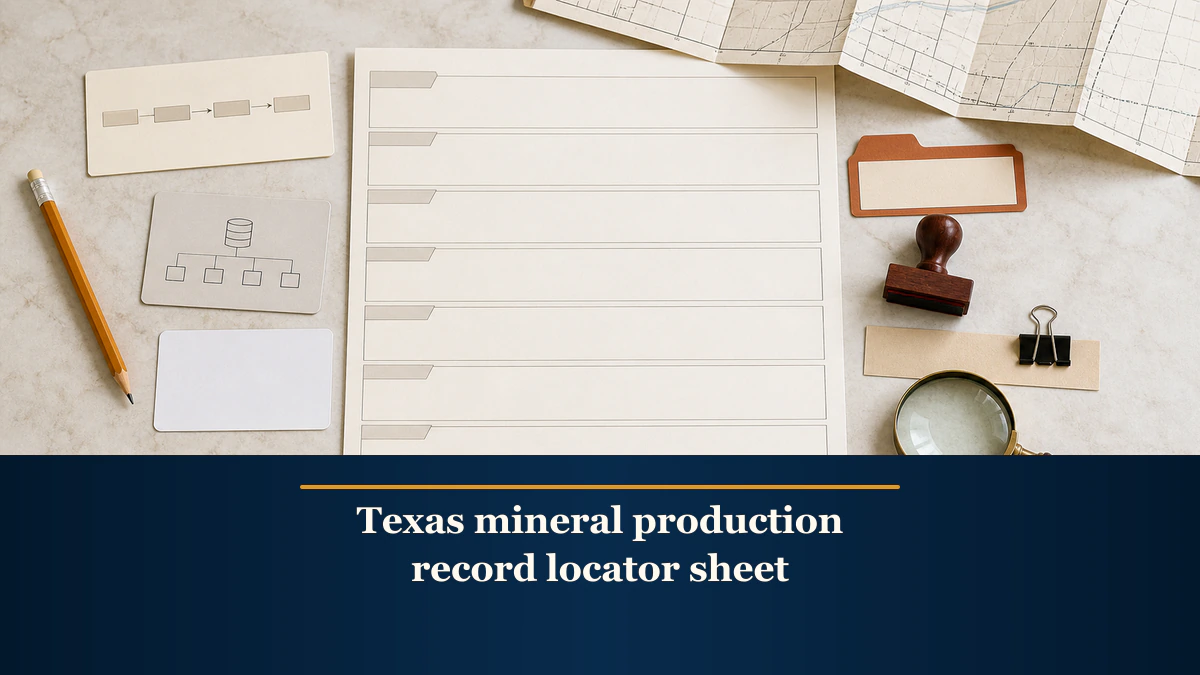
Blank locator-sheet template
- Locator ID:
__________ - Attempt number:
__________ - Official source route:
__________ - Query-system name:
__________ - Displayed record class:
__________ - Identifier type:
__________ - Identifier value or controlled reference:
__________ - Query path:
__________ - Covered period requested:
__________ - Covered period displayed:
__________ - Access date, time, and timezone:
__________ - Source-stated update or reporting note:
__________ - Result-reference location:
__________ - Retrieval status:
located / not located / unverified - Neutral follow-up question:
__________
Keep interpretation out of the row. If a qualified reviewer later connects, reconciles, analyzes, or uses a record, preserve that work as a separate output with its own scope, date, author, and source list.
Final quality-control checklist
Before closing the locator sheet, confirm that:- every row names the exact official route and query system;
- identifier type and value remain paired;
- displayed record class and reporting level are preserved;
- requested period, displayed period, update note, and access date are separate;
- the query path and result-reference location are reproducible for an authorized reviewer;
- each status is only located, not located, or unverified;
- source limitations remain attached;
- private identifiers and retained copies are controlled;
- no row establishes property connection, ownership, title, lease effect, royalty entitlement, payment, compliance, operator responsibility, production performance, completeness, accuracy, applicability, or review sufficiency; and
- no row produces a forecast, valuation input, value, offer conclusion, or transaction recommendation.
A disciplined locator sheet is intentionally modest. It preserves where a Texas public production result was found and how the search was performed. That retrieval trail can help a later authorized reviewer find the same source without turning record location into record interpretation.
Frequently asked questions
Does a located RRC production record prove that it belongs to my mineral interest?
No. A locator sheet records where a result appeared and which identifier was used. It does not establish a well-to-property connection, ownership, title, lease effect, royalty decimal, or payment entitlement.
Should I write complete when a production query returns rows?
No. Use located and preserve the source-stated reporting and update notes. A returned result does not establish completeness, currentness, accuracy, applicability, or suitability for a later review.
What if I have an API number but not a lease number?
The RRC Production Data Query FAQ points users to the Wellbore Query for a lease name and lease number associated with an API number. Record that route change and each displayed identifier without concluding that the records connect to a private interest.
Can I use a downloadable RRC dataset instead of a query result?
The RRC publishes named datasets with formats and update schedules. A locator sheet can record the exact dataset label, format, stated update cadence, access date, and controlled file reference. It does not decide which source should be used or analyze the file.
Does this worksheet analyze production history or mineral value?
No. It records retrieval provenance only. Production analysis, decline interpretation, cash-flow forecasting, and valuation belong to separate qualified review.
Sources reviewed for this article
- Railroad Commission of Texas, Research Queries (accessed 2026-08-23)
- Railroad Commission of Texas, Oil and Gas Production Data (accessed 2026-08-23)
- Railroad Commission of Texas, Production Data Query System FAQs (accessed 2026-08-23)
- Railroad Commission of Texas, Oil and Gas Well Records (accessed 2026-08-23)
- Railroad Commission of Texas, Data Sets Available for Download (accessed 2026-08-23)
Related mineral-rights articles

Decline Curves and Future Royalty Cash Flow
A decline curve estimates a future production path. A royalty cash-flow scenario adds separately documented price, ownership, deduction, tax, timing, and discounting assumptions.
Read the post →
Converting Monthly Royalty History Into a Valuation Baseline
A useful royalty-history baseline preserves each production month, property, product, decimal, price, tax, deduction, adjustment, and net payment before summarizing cash flow.
Read the post →
How to Build a Mineral Rights Valuation Evidence-Cutoff Log
An evidence-cutoff log records the sources, identifiers, covered periods, access dates, last-included evidence dates, and gaps present in a review file at one stated point in time.
Read the post →
Texas Railroad Commission: Public Records for Mineral Rights
Use RRC records to research production, leases, operators, and permits. Investigate title separately through county instruments and qualified review.
Read the post →A practical next step
Put your mineral rights in context.
Every mineral interest, royalty history, and written offer is different. Start with a question, or share what you have for a free underwriter review.
- Free
- Confidential
- No obligation to sell
Ready for a closer look?
Request an Underwriter ReviewGet a directional range with the assumptions clearly stated.