MRX Learning Center
Texas TDI Title Agent Report Retrieval Provenance Worksheet
Create one blank provenance record for one authorized manual Texas TDI title-agent report retrieval without treating a displayed row as identity, legitimacy, or transaction evidence.
Direct answer for mineral owners
Use one blank worksheet for one authorized manual retrieval attempt through one named Texas TDI Title Agent and Escrow Officer report. Record the exact official route, selected report, access time, source-displayed date, filters, column labels, controlled references, limitations, and only located, not located, or unverified. Keep private correspondence separate, do not compare identities or interpret licensure, and stop at authorized-human review.
Key takeaways for mineral owners
- Use one worksheet ID for one official TDI route, one named report, and one manual retrieval attempt.
- Record only labels and controls the selected report actually displays.
- Keep a private correspondence reference separate from the TDI report evidence.
- Treat located, not located, and unverified as attempt-level observations, not license or identity conclusions.
- Never convert a missing or similar name into a legitimacy, fraud, or transaction conclusion.
- Stop at authorized-human review before interpreting licensure, appointment, authority, or transaction involvement.
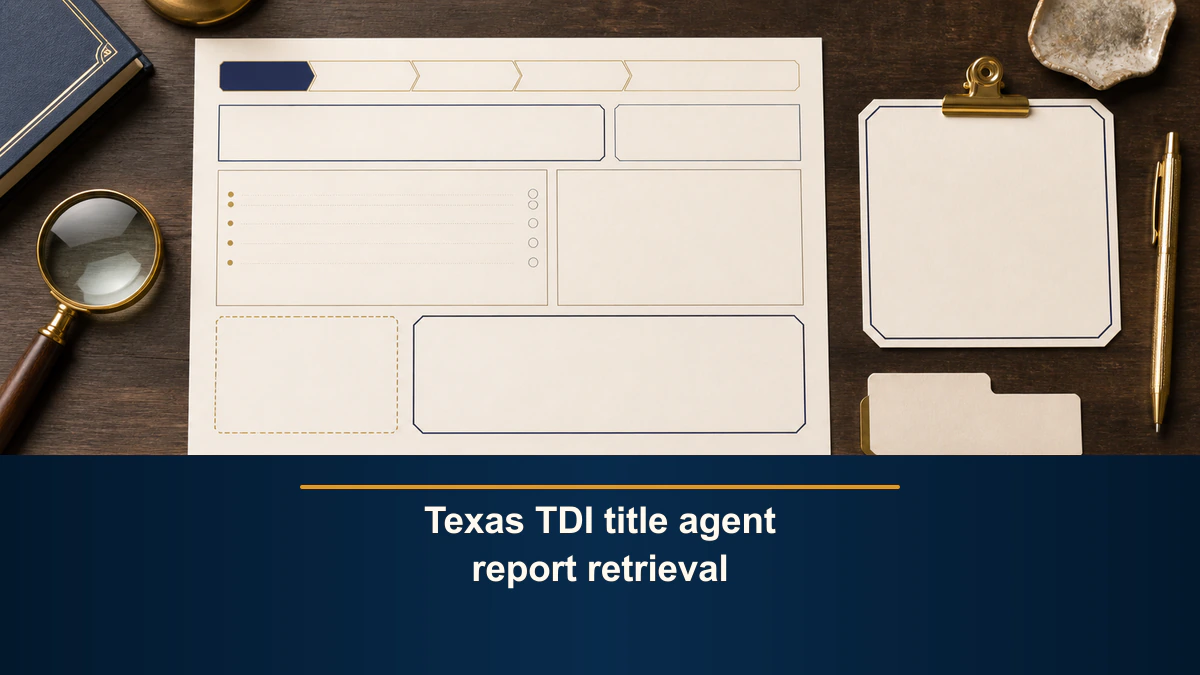
Single-report retrieval boundary. This blank worksheet documents one authorized manual attempt through one named Texas Department of Insurance Title Agent and Escrow Officer report. A displayed row does not establish that the displayed party is the party named in retained correspondence or is involved in a mineral-rights transaction. Keep real names, correspondence, report rows, license details, completed worksheets, and evidence references in an authorized controlled record. MRX provides educational information and resources only and does not buy mineral rights.
A Texas TDI title agent report retrieval can preserve a useful source trail when each observation remains attached to one route, one selected report, and one access event. The worksheet records what the selected TDI report displayed. It does not compare the display with a letter, email, offer, closing instruction, website, or person.
That separation matters when a title or escrow party is named near a proposed mineral-rights transaction. The name in correspondence is a private source claim. A row in a TDI report is public source evidence. Neither source, by itself, proves that the two refer to the same party or that the displayed party has a role in the transaction.
Direct answer for mineral owners
Create one worksheet ID for one authorized manual retrieval attempt. Start at the TDI Title Insurance page, follow the Title Agent and Escrow Officer reports link, select one named report under the source-displayed report group, and record the official route that the browser reached.Record the selected report title and type, access timestamp and timezone, source-displayed report date or update label when shown, actual filters or selection state, displayed column labels, controlled input reference, controlled evidence pointer, source limitation, and one outcome: located, not located, or unverified.
Stop there. Do not compare the result with correspondence, interpret a license or appointment, identify a transaction party, assess a complaint, judge an offer or buyer, or recommend a closing or transaction action.
Use one named report and one attempt
The TDI report interface can present more than one report under a report group. Do not combine several report names, filters, outputs, or access events into one worksheet. Record the exact source-displayed report title that was selected and retain a controlled reference to the resulting display or file.
Start a separate worksheet ID or version when any of these changes:
- the official route;
- the selected report title or type;
- the controlled input reference;
- the filter or selection state;
- the report date or update label;
- the access timestamp or timezone;
- the displayed column set;
- the result state; or
- the retained evidence pointer.
This one-attempt rule prevents a later reviewer from treating several different source states as one continuous result. It also keeps an archived report, a current report, a title-agent report, and an escrow-officer report from being merged into an unsupported status history.
Keep every reusable field blank
- Worksheet ID:
[controlled attempt ID] - Controlled input reference:
[private source pointer only] - Official TDI starting route:
[exact HTTPS URL] - Final report route:
[exact HTTPS URL reached] - Selected report group:
[exact source-displayed group] - Selected report title:
[exact source-displayed title] - Report type or format:
[exact source display, when shown] - Access timestamp and timezone:
[authorized manual access time] - Report date or update label:
[exact source display, when shown] - Filters or selection state:
[exact controls used, when applicable] - Displayed column labels:
[exact source display] - Located row reference:
[controlled record only, when applicable] - Retained evidence pointer:
[authorized locator] - Source limitation:
[exact display, not stated, or unresolved] - Controlled outcome:
[located, not located, or unverified] - Authorized-human handoff:
[role and bounded question]
The bracketed phrases are labels, not example values. Do not put a real or fictional title agent, escrow officer, license number, appointment, address, county, email, phone number, offer, buyer, property, transaction, report row, status, complaint, or conclusion into the reusable public worksheet or images.
Result limitation: keep this beside the report and outcome fields. A displayed row proves only that the selected TDI report displayed that row during the recorded access event. It does not prove that a similarly named person or entity in correspondence is the same party. It does not establish transaction involvement, authority, legitimacy, safety, offer quality, or whether anyone should proceed.
Start from the official TDI title route
The Texas Department of Insurance Title Insurance page currently provides the Title Agent and Escrow Officer reports link. The page says those reports list licensed title agents and escrow officers and instructs a user to select a report under the source-displayed Title Agent / Escrow Officers group.
Those statements support a narrow route record. Preserve the TDI starting page, the final report destination, the report group, the exact selected report title, and the access time. If the source displays a report date, update label, filter, format, or column heading, record it exactly.
Do not add a field that the selected report did not display. Do not use another website, retained correspondence, memory, a search snippet, or a different report to fill a blank. Use not stated, not displayed, not applicable, or unverified according to the actual source state.
Preserve source context without interpreting it
TDI’s overview of title-agent oversight says lists of active title agents and escrow officers are available through the TDI reports site. The same page separately describes licensing and county-appointment conditions for title agents.
Keep those statements separate. A selected report can preserve source-displayed information. This worksheet does not decide what a license label means, whether an appointment applies to a particular county, whether a person may perform a requested task, or whether any regulatory condition has been satisfied for a transaction.
Do not turn a report row into a broader statement such as approved, safe, authorized for this closing, connected to this offer, or verified transaction party. Those are not attempt-level retrieval observations.
Preserve three controlled outcomes
Use only these outcomes:
- Located: the selected report displayed the controlled search target or retained row reference during the recorded attempt.
- Not located: the selected report did not display the controlled search target during that attempt.
- Unverified: access, report identity, source date, missing fields, similar names, incomplete evidence, or another recorded limitation prevented either bounded observation.
Do not convert located into licensed for this transaction, authorized, legitimate, safe, reputable, or approved. Do not convert not located into unlicensed, nonexistent, fraudulent, illegitimate, unauthorized, or unsafe.
The outcome describes one report attempt. It is not a license interpretation, identity match, complaint finding, due-diligence conclusion, or recommendation.
Keep correspondence and TDI evidence separate
Retained correspondence may supply a reason to perform the lookup, but its real name and details remain in a private controlled record. The public worksheet records only a controlled input pointer. It does not quote the correspondence or reproduce its name, email, phone number, address, offer terms, closing instructions, or attachments.
The TDI report evidence receives a different controlled pointer. Do not combine the correspondence and report into one merged party record. Do not label names as a match or mismatch. Do not infer identity from similar spelling, abbreviations, trade names, addresses, counties, websites, or other fields.
Use the separate offer sender identity cross-check when an authorized process needs to organize stated sender fields across selected sources. Use the offer correspondence index to inventory communication items. This worksheet performs neither job.
Exclude property and offer analysis
Do not add a county, tract, survey, abstract, section, block, acreage, interest, depth, formation, substance, lease, unit, well, API number, reservation, or exception to this report-attempt worksheet. Those fields can create an unsupported property connection and belong to separate authorized records.
Do not add price, value, acreage-normalization, offer terms, rankings, scores, red flags, complaints, funding, financial capacity, reputation, buyer quality, or closing conditions. The report retrieval does not establish any of those facts and does not compare one offer with another.
The public template also needs no completed party name, license number, appointment, address, county, report row, correspondence excerpt, property description, signature, result image, or transaction detail. Retain completed evidence only in an authorized system with appropriate access controls.
Use authorized manual access only
Follow the official site’s current navigation and access requirements. This article does not provide a login, submission, order, purchase, contact, complaint, scraping, bulk-download, access-evasion, or rate-limit-workaround procedure.
If the official route changes, preserve the route attempted, access time, redirect or unavailable state, and source limitation. Use unverified when the selected report cannot be identified or retained well enough for another authorized reviewer to understand the attempt.
Stop at authorized-human review
Close the worksheet with the controlled outcome, limitation, unresolved question, and next authorized role. Do not answer the later question inside this retrieval record.
Questions about the meaning of a license, active label, county appointment, title-agent role, escrow-officer role, complaint, authority, regulatory status, legal effect, closing process, or transaction conduct should go to TDI or an appropriately qualified Texas professional. Identity matching, offer analysis, valuation, title review, and transaction decisions require separate purposes, sources, qualifications, and safeguards.
This worksheet documents one manual TDI report retrieval attempt. It does not provide legal, tax, title, appraisal, valuation, investment, financial, compliance, identity-verification, offer, closing, or transaction advice.
Frequently asked questions
Does a TDI report row prove that the displayed party is involved in my mineral-rights transaction?
No. A displayed row proves only what the selected report displayed during the recorded attempt. This worksheet does not compare the row with correspondence, identify a transaction party, establish authority, or determine legitimacy, safety, or suitability.
What does not located mean on this worksheet?
It means only that one recorded attempt in one selected report did not locate the controlled search target. It is not evidence that a party is unlicensed, nonexistent, illegitimate, fraudulent, unauthorized, or unsafe.
Can one worksheet combine several TDI reports?
No. Use one worksheet for one named report and one attempt. A different report, changed route, changed filter state, changed access time, or second attempt requires a separate worksheet ID or version.
Should similar names be treated as a match?
No. Preserve the exact source display and use unverified when similar names cannot be distinguished without inference. Identity comparison belongs in a separate authorized process, not this retrieval record.
Does completing this worksheet evaluate a title agent, escrow officer, offer, or buyer?
No. It documents one source retrieval attempt. It does not interpret licensure or county appointment, score a party, compare offers, assess complaints, determine fair value, or recommend a legal, closing, acceptance, or transaction action.
Sources reviewed for this article
Related mineral-rights articles
Texas Comptroller Taxable Entity Search Retrieval Provenance Worksheet
Preserve one official Texas Comptroller account-status search attempt without connecting the displayed entity record to an offer sender or transaction.
Read the post →
Texas Secretary of State Registered Agent and Registered Office Evidence Boundary Worksheet
Build one blank evidence-boundary record from an already-retained Texas Secretary of State source excerpt without searching or identifying a transaction party.
Read the post →
Mineral Rights Retained Evidence Source-Scope Worksheet
Build one blank source-scope record for one already-retained artifact without retrieving, interpreting, comparing, or deciding anything.
Read the post →
How to Build a Mineral Rights Offer Sender Identity Cross-Check
A sender identity cross-check organizes seven stated details across three evidence columns and labels each result only match, mismatch, or unverified.
Read the post →A practical next step
Put your mineral rights in context.
Every mineral interest, royalty history, and written offer is different. Start with a question, or share what you have for a free underwriter review.
- Free
- Confidential
- No obligation to sell
Ready for a closer look?
Review Related Offer GuidesGet a directional range with the assumptions clearly stated.