MRX Learning Center
How to Build a Mineral Rights Offer Sender Identity Cross-Check
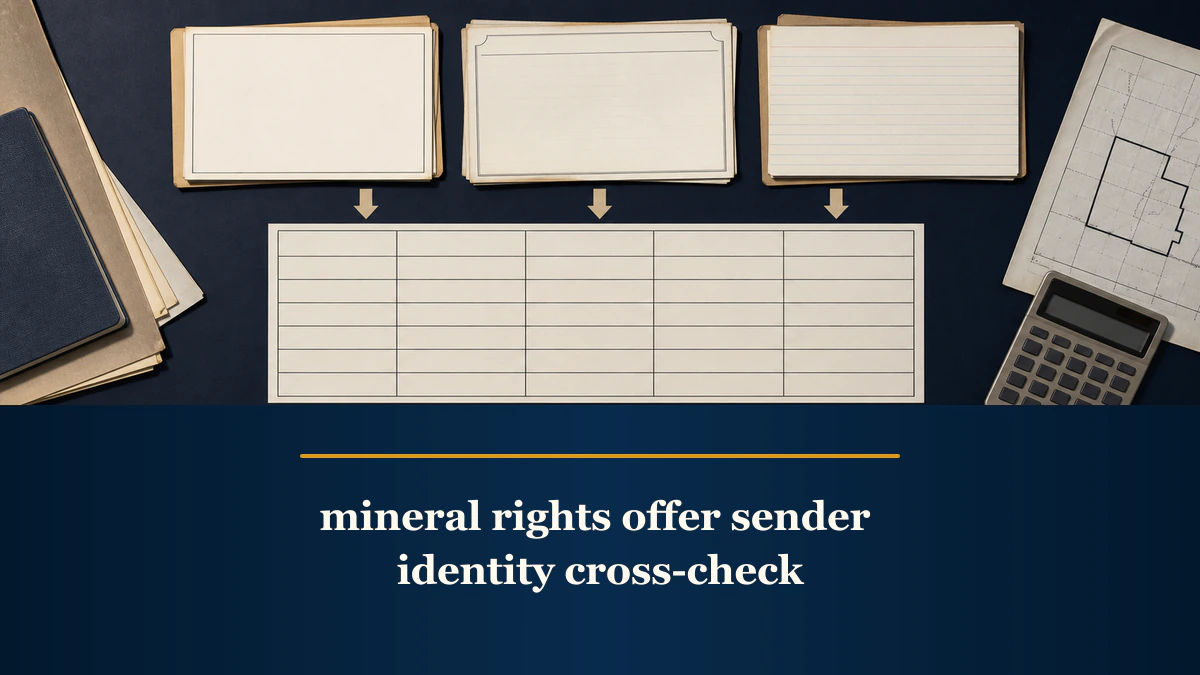
A sender identity cross-check organizes seven stated details across three evidence columns and labels each result only match, mismatch, or unverified.
Direct answer for mineral owners
Copy seven stated sender fields into a matrix, preserve the offer as one column, add what the selected Texas public entity or status source displays, and add contact details found through an independently located company source. Label each field only match, mismatch, or unverified, then turn every discrepancy into a neutral clarification question. The cross-check organizes evidence; it does not authenticate a sender or decide whether an offer is legitimate.
Key takeaways for mineral owners
- Compare the stated sender, acquiring entity, signer name and title, email or reply-to domain, business address, phone, and website.
- Keep three separate evidence columns: the offer, a selected Texas entity or status record, and an independently located company contact source.
- Use only match, mismatch, or unverified; none of those labels proves legitimacy, authority, fraud, or offer quality.
- Convert discrepancies into neutral questions and keep economics, contract terms, property scope, and the decision to transact outside the matrix.
Educational identity-record boundary. This article provides a neutral way to organize stated sender details. It does not authenticate a person or offer; prove authority, legitimacy, reputation, fairness, fraud, value, property ownership, financial capacity, or legal effect; review price, deed language, payment or closing controls; or decide whether to respond, sign, sell, or hold. Public entity records have limited purposes and may not show every relationship. Use qualified legal, title, land, tax, accounting, valuation, engineering, and financial professionals for owner-specific conclusions. MRX provides educational information and resources only and does not buy mineral rights.
A mineral rights offer sender identity cross-check is a reusable evidence matrix. Copy seven fields from the offer, compare each one with what a selected Texas public entity or status source displays, and then compare it with a company contact source you located independently. Give every row only one label: match, mismatch, or unverified.
Those labels describe the selected evidence. They are not conclusions about a person, company, or offer. A match does not prove authenticity or authority. A mismatch does not prove misconduct. Unverified does not mean false. The useful output is a clean list of neutral questions to ask before moving to separate offer, contract, title, or transaction review.
Freeze the exact offer version
Start with the exact PDF, letter, envelope, email, or message that reached you. Preserve it without editing the original. Give the cross-check a stable ID and record the received date, file name, page count, and controlled storage location. If a revised offer arrives, keep it as a new version rather than overwriting the first.
The sender matrix is not the place to decide whether a document is genuine. Its first column is simply a transcription of what the retained offer states. Preserve spelling, punctuation, abbreviations, and domain names as shown. If a field is absent, write not stated instead of filling the gap from memory.
Build three evidence columns
Use the same three columns for every field:
- Offer column: the information printed or displayed in the retained offer version.
- Public entity or status column: the information displayed by the selected official Texas source at the time you checked it.
- Independent contact column: the information displayed by a company contact source you located without using only the offer’s links, QR codes, phone numbers, or reply buttons.
Keep a URL, access date, and short source note beside columns two and three. A screenshot can help preserve what was displayed, but do not treat a screenshot as proof beyond the page and time captured.
For Texas research, the Comptroller’s database directory identifies the Taxable Entity Search and its recorded right-to-transact-business status. The related Franchise Tax Account Status instructions explain the account-status search and certificate context. A displayed status is one public-record observation; it does not authenticate the person who contacted you or approve a transaction.
The Texas Secretary of State explains business-organization records through Let’s Do Business, its filing options, and business organization FAQs. Record the exact entity name or other field the selected source displays. Do not stretch a filing record into a conclusion about a representative’s authority or the quality of an offer.
Compare seven stated sender fields
Create one row for each of these fields:
- Stated sender: the person or organization presented as the sender;
- Acquiring entity: the entity named as buyer, grantee, assignee, or acquiring party, if stated;
- Signer name and title: both the printed name and the stated role;
- Email or reply-to domain: record the domain, not an unnecessary copy of the entire personal address;
- Business address: preserve the address exactly as shown in each selected source;
- Phone: use the displayed business number and note extensions separately; and
- Website: record the full displayed host and whether it redirects.
Do not add price, offer expiration, property description, net mineral acres, royalty decimal, deed terms, payment instructions, or closing controls to this matrix. Those fields belong in separate offer-economics, property-scope, title, contract, and closing reviews. The offer-review hub can help keep those jobs separated.
Locate the independent contact source carefully
The Federal Trade Commission’s business impersonator guidance supports contacting a business through contact information you independently know or locate, rather than relying only on the unexpected message. That principle supplies the third column; it does not establish that the offer is an impersonation attempt.
Independent does not mean “first search result.” The FTC also warns in its discussion of online search results that some results or sponsored listings can lead to impostor contact information. Record how you found the source. Prefer a company page reached through a known official domain, an official filing reference, or another documented route. If the route remains uncertain, label the field unverified.
Never enter an account password, one-time code, bank information, taxpayer identifier, or payment detail into a link supplied by an unexpected sender merely to complete this matrix. The cross-check needs ordinary business contact fields, not sensitive credentials.
Apply only three result labels
Use the labels consistently:
Match
Use match when the selected sources display materially consistent information for the field. Normalize harmless formatting differences such as capitalization, spacing, punctuation, or a standard phone-number format, but preserve the originals in their evidence columns.
Match means only “these selected sources agree for this field.” It does not prove the sender’s identity, the signer’s authority, the offer’s authenticity, the entity’s reputation, or whether the transaction is suitable.
Mismatch
Use mismatch when the selected sources display materially different information for the same field. Examples include different entity names, unrelated domains, different phone numbers, or an address that does not align across the selected sources.
Do not label the cause. A mismatch can arise from an affiliate, assumed name, service provider, stale record, forwarding address, data-entry error, or a relationship the selected sources do not explain. Broader risk frameworks belong in the separate guides on identifying predatory buyers, spotting predatory offers, and offer scams. This matrix records the difference and stops.
Unverified
Use unverified when a selected source does not display the field, the source was unavailable, or you could not identify a sufficiently independent company contact source. Write the reason beside the label. Do not silently turn missing information into a match or mismatch.
Unverified is a research status, not an accusation. It also does not mean that continued contact is appropriate. The owner decides the next step after separate professional and transaction review.
Convert discrepancies into neutral questions
Each mismatch or unverified row should produce a question that requests evidence without assuming an answer. Useful patterns include:
- “The offer names [stated entity], while the selected public record displays [recorded entity]. What is the relationship between those entities?”
- “The offer is signed by [name and stated title]. What document or company source identifies that person’s role for this communication?”
- “The reply-to domain differs from the independently located company domain. Which domain should be used for ordinary correspondence, and where can that be confirmed independently?”
- “The selected source does not display this phone or address. Which public or company source can be used to confirm the contact route?”
Keep the response in a fourth evidence column and retain the supporting file or URL. Do not change the original offer or prior source capture. After a response, rerun only the affected row and date the new observation.
Preserve a bounded record
Store the offer version, matrix, source URLs, access dates, screenshots or saved pages when permitted, questions, responses, and later observations in a controlled folder. Use a simple version log. Avoid copying unnecessary personal data into the matrix.
The Texas Attorney General’s consumer complaint page illustrates the value of preserving a business name, address, phone, website, contact person, date, and supporting documents. This article borrows those record fields only. A matrix discrepancy does not by itself mean that a complaint is warranted, and this workflow does not reach a merits conclusion.
Example with fictional fields
Assume a fictional offer states one acquiring entity, one signer title, and one reply-to domain. The selected Texas entity source displays a similar entity name but does not publish the signer’s role. An independently located company page displays a different correspondence domain.
The matrix can label the entity-name row match if the names are materially consistent, the signer-title row unverified, and the domain row mismatch. It can then ask for a source that explains the signer’s role and the relationship between the two domains.
The matrix cannot say the offer is legitimate because one row matches. It cannot say the sender is fraudulent because another row differs. It cannot establish authority from a title, assess the offer price, interpret the deed, or recommend a transaction.
Offer sender cross-check quality controls
Before treating the matrix as complete, confirm that:
- the exact offer version is preserved;
- all seven fields appear as separate rows;
- each row retains the offer, public-record, and independent-contact observations;
- every external source has a URL, access date, and retrieval note;
- only match, mismatch, or unverified is used;
- every mismatch or unverified field becomes a neutral question;
- later responses are appended rather than overwriting prior evidence; and
- no label or note claims authenticity, authority, legitimacy, reputation, fairness, fraud, value, legal effect, offer quality, or whether to transact.
A strong sender identity cross-check produces a traceable question list, not a verdict. It tells an owner exactly where selected sources align, differ, or remain silent. That narrower result can improve the next conversation while leaving buyer-risk review, offer economics, title, contract terms, and the transaction decision with the appropriate separate process and qualified professionals.
Frequently asked questions
What is a mineral rights offer sender identity cross-check?
It is a field-level matrix that compares seven stated sender details across the offer, a selected Texas public entity or status source, and an independently located company contact source. It organizes observations and clarification questions without authenticating the sender or evaluating the offer.
Does a match prove that the offer is legitimate?
No. Match means only that the selected sources display materially consistent information for that field. It does not prove a person’s identity or authority, authenticate the offer, establish reputation, or determine whether to transact.
Does a mismatch mean the sender is committing fraud?
No. Mismatch means only that the compared sources display materially different information for that field. Records may use affiliates, trade names, service providers, old details, or incomplete data. Record the difference and ask a neutral question rather than assigning motive.
What does unverified mean?
Unverified means the selected sources did not resolve the field. It may reflect a missing field, a source that does not publish that detail, or a search that did not identify a usable independent source. It is not a negative conclusion.
Should this matrix include price, deed terms, or property acreage?
No. Those are separate offer-economics, contract, title, and property-scope jobs. Keep the sender identity matrix limited to the seven stated sender fields and route owner-specific legal, title, tax, valuation, or transaction questions to qualified professionals.
Sources reviewed for this article
- Texas Comptroller, Comptroller’s Databases (accessed 2026-08-22)
- Texas Comptroller, Franchise Tax Account Status (accessed 2026-08-22)
- Texas Secretary of State, Let’s Do Business (accessed 2026-08-22)
- Texas Secretary of State, Filing Options (accessed 2026-08-22)
- Texas Secretary of State, Business Organization FAQs (accessed 2026-08-22)
- Federal Trade Commission, Business Impersonator Scams (accessed 2026-08-22)
- Federal Trade Commission, Online Search Results: The Good, the Bad, and the Scammy (accessed 2026-08-22)
- Texas Attorney General, File a Consumer Complaint (accessed 2026-08-22)
Related mineral-rights articles
Understanding Mineral Rights Offer Scams: What You Need to Know
Treat suspected mineral-offer fraud as an evidence and containment problem: stop, verify independently, protect accounts, preserve records, and report through the proper channel.
Read the post →
How to Identify Predatory Mineral Buyers
Evaluate mineral buyers by verifying identity, authority, written terms, deed scope, closing controls, and pressure tactics rather than relying on a label.
Read the post →
How We Protect Mineral Rights Sellers From Predatory Tactics
A seller-protection guide to slowing down mineral-rights offers, confirming the buyer, mapping the conveyed interest, and documenting every term.
Read the post →
How to Spot Predatory Mineral Rights Offers
A low or unsolicited mineral offer is not automatically fraudulent. Screen the buyer, communication, property description, pricing terms, deed, information requests, and closing sequence before signing.
Read the post →A practical next step
Put your mineral rights in context.
Every mineral interest, royalty history, and written offer is different. Start with a question, or share what you have for a free underwriter review.
- Free
- Confidential
- No obligation to sell
Ready for a closer look?
Share My Offer for ReviewGet a directional range with the assumptions clearly stated.