MRX Learning Center
Texas RRC Imaged Well Log Retrieval Provenance Worksheet
Use a well-log retrieval provenance worksheet to preserve one manual RRC Imaged Records route, controlled criteria, access state, evidence reference, and bounded outcome.
Direct answer for mineral owners
Give one authorized manual Texas RRC Imaged Records Well Log retrieval attempt a neutral ID. Record the official menu route, displayed profile label, controlled criteria reference, access time and timezone, access or result state, TIFF or viewer state, retained evidence, coverage notes, transfer notes, and only located, not located, or unverified. Do not interpret a log or infer a well, property, ownership, production, value, legal, offer, or transaction fact.
Key takeaways for mineral owners
- Start from the official RRC Imaged Records route and keep the Well Log profile separate from the Wellbore Query and other record systems.
- Record source-displayed labels and a controlled criteria reference without publishing unnecessary API, field, lease, operator, location, or party values.
- Treat access blocks, errors, timeouts, unavailable viewers, default states, and incomplete attempts as unverified.
- Preserve the TIFF or viewer state, source coverage, retained evidence, and transfer notes separately from the bounded outcome.
- Stop before interpreting the log or inferring formation, completion, well, production, property, ownership, value, offer, legal, or transaction facts.
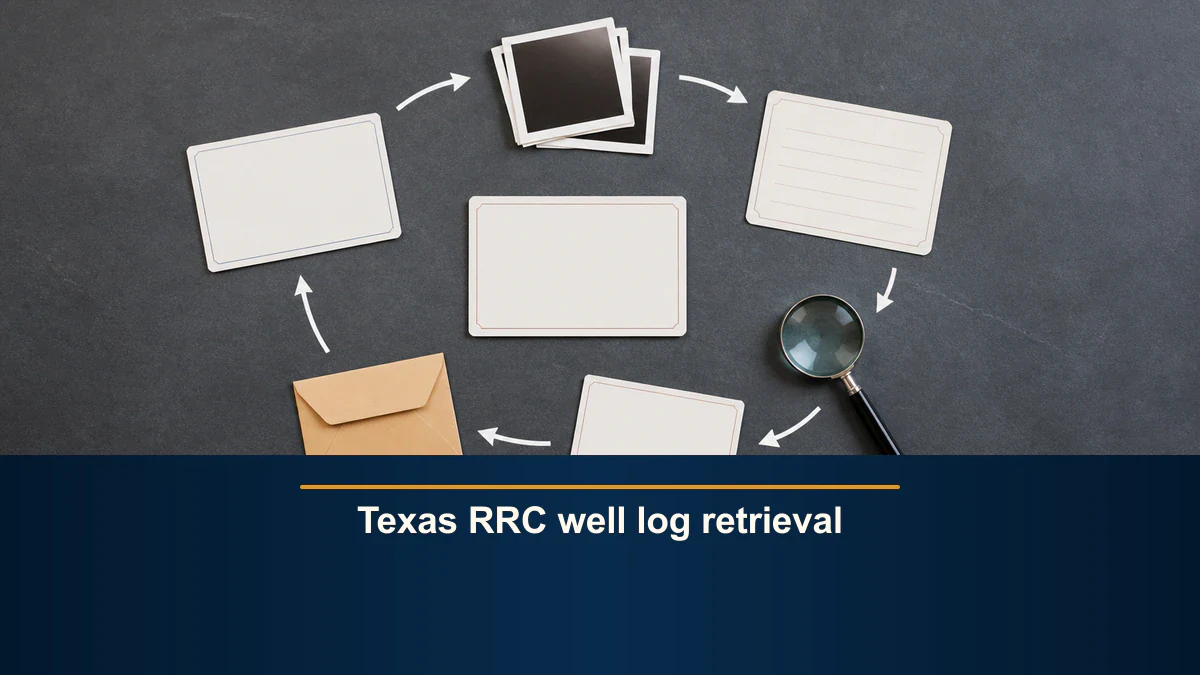
Public retrieval boundary. This article records one authorized manual attempt through the Texas Railroad Commission’s Oil & Gas Imaged Records Well Log profile. It does not interpret a well log or determine formation, depth, lithology, completion, well status, production, reserves, safety, environmental condition, property connection, ownership, title, payment, acreage, value, offer quality, compliance, legal effect, tax, or transaction outcome. It does not provide legal, title, land, regulatory, environmental, geological, engineering, tax, accounting, appraisal, investment, or financial advice. MRX provides educational information and resources only and does not buy mineral rights.
A Texas RRC well log retrieval worksheet preserves how one manual source attempt was made. Its job is administrative: identify the official menu route, retain the displayed record-family and profile labels, record a controlled criteria reference, timestamp the attempt, preserve the access and TIFF-viewer states, retain an evidence reference, attach source-coverage notes, and give the attempt one bounded outcome.
Use only located, not located, or unverified. Those terms describe one retrieval attempt. They do not turn an image, source screen, file name, search value, or empty result into a conclusion about a well, formation, property, owner, regulator finding, valuation, or transaction.
Start from the official Imaged Records route
Begin with the Texas RRC Research Queries directory. It separately lists Oil & Gas Imaged Records Menu and currently labels that source with a 3-to-6-month update interval. Record the directory URL, source label, access time, and the official menu route before attempting to open a record profile.
The directory also warns against automated retrieval of volumes of query data and describes public query information as informational rather than legally authoritative. This worksheet is limited to one authorized manual attempt. It is not a scraping plan, a monitoring workflow, a bulk-download process, or a method for bypassing a block, session control, validation rule, timeout, or viewer limitation.
The RRC Imaged Records page identifies Oil & Gas Well Logs as a separate record family and directs readers to a specific Well Log launch profile. If the official route or profile label is missing, renamed, inaccessible, or replaced by another system, preserve that displayed state and use unverified. Do not silently substitute a nearby well or record query.
Keep the Well Log profile separate from nearby systems
Similar words do not make RRC routes interchangeable. Keep each source in its own attempt record.
| Source route or record family | Boundary for this worksheet |
|---|---|
| Imaged Records Well Log profile | Records one authorized manual attempt to locate source-displayed well-log material. |
| Wellbore Query | Separate data-query route; do not merge its rows, identifiers, or status fields into this attempt. |
| Oil & Gas Well Records potential files | Separate profile and broader record family; do not treat a potential file as a well log. |
| Drilling Permit and Completions queries | Separate application and packet routes with their own coverage and state. |
| Public GIS Viewer | Separate map route; no GIS interpretation belongs in this retrieval record. |
| EDMS, hearings, dry-hole files, production systems, or historical microfilm | Separate sources that require separate attempt records. |
The official Oil and Gas Well Records page names both an Oil and Gas Potential profile and a Well Log (WL) profile. That distinction is a routing fact. It is not a statement that every log exists online, that two source families are complete, or that a retrieved image belongs to a reader’s interest.
Create the attempt header before using criteria
Assign a neutral attempt ID that does not reveal private property, party, or transaction information. Then record:
- the official Research Queries and Imaged Records menu URLs;
- the displayed record-family and Well Log profile labels;
- access date, clock time, and explicit timezone;
- the authorized manual access method;
- a controlled criteria-set reference instead of the actual sensitive values;
- the source-displayed search-key category or categories used;
- the displayed access, validation, result, navigation, or interruption state;
- the TIFF file or viewer state, if any;
- the retained evidence location and access restrictions;
- the source coverage and retrieval-date notes; and
- a transfer-note destination and recipient limitation.
Do not publish API numbers, field identifiers, lease identifiers, well numbers, operator names, location descriptions, dates, file images, or party names merely because a source accepts or displays them. Keep necessary values in an authorized controlled location and use the worksheet to point to that record.
Preserve source-displayed search categories
The RRC Imaged Records page says the well-log source may be searched by key fields that include API number, oil or gas field name or number, lease name or number, county, operator name, location information, or date range. Record only the category labels that were actually used. Do not turn a category into a property assertion.
The Well Records FAQs provide source-specific formatting context for an API-number search. Preserve that as a source mechanics note if the category is used. Keep the actual number in the controlled criteria record unless publication is necessary and authorized.
An accepted search value does not prove that the value identifies the intended private interest. A displayed field, lease, operator, or location label does not establish a property relationship, current operator, ownership interest, title position, payment entitlement, or legal status.
Treat access and viewer states as evidence
The direct record profile may be blocked, unavailable, interrupted, or dependent on a viewer. Preserve that state instead of working around it. During this article’s source review, automated access to the direct profile did not establish a completed query. The article therefore relies on the accessible official RRC pages for route, coverage, and file-format context and makes no claim about a live profile result.
Use these state rules:
| Displayed state | Bounded outcome | Evidence to retain |
|---|---|---|
| Official route or profile cannot be opened, including an HTTP block | unverified | Entry route, timestamp, displayed block or response, and where the attempt stopped. |
| Error, timeout, session interruption, unavailable viewer, or unclear default state | unverified | Exact visible state, timestamp, and retained reference. |
| Criteria are rejected or submission cannot be established | unverified | Used category labels, controlled criteria reference, message, and stop point. |
| Accepted criteria produce a completed empty result attributable to the attempt | not located | Completed state, timestamp, criteria reference, and evidence reference. |
| Accepted criteria display responsive Well Log profile material | located | Result or image-navigation state, timestamp, criteria reference, TIFF state, and evidence reference. |
Do not retry until a preferred outcome appears. If an authorized correction is needed, start a new attempt ID or create a clearly linked correction event. Preserve the first state instead of overwriting it.
Record TIFF delivery without interpreting the image
The Imaged Records page and Well Records FAQ state that well logs are stored and delivered in TIFF format and that a suitable image viewer may be needed. Record the source-displayed file format, whether a file was presented, whether the authorized viewer could open it, and where any retained evidence is stored.
Use unverified when the image cannot be opened or the viewer state is unclear. Do not label an inaccessible TIFF as empty, corrupt, irrelevant, or missing from Commission records unless the source itself establishes that state and the evidence preserves it.
A visible well-log image is still only retrieved source material. This worksheet does not interpret curves, tracks, scales, headers, formation labels, depths, intervals, lithology, pressure, porosity, saturation, completion zones, reserves, or economics. Refer any technical interpretation to a qualified professional using the appropriate complete record set.
Attach source coverage notes
The RRC Imaged Records page says the Commission began imaging well logs received for the stated regulatory requirement in July 2004. The Oil and Gas Well Records page similarly describes the WL profile as including images of well logs received since July 2004. Preserve those statements with the source URL and access date as coverage notes.
Coverage language is not a completeness guarantee. It does not establish that every expected image has been received, indexed, linked, digitized, or made accessible. It also does not establish that an older record is absent. If the requested period falls outside the source-described online coverage, record the limitation and create a separate authorized retrieval plan for the appropriate source. Do not broaden this attempt into historical research after the fact.
The Oil and Gas Well Records page also states that the RRC lacks authority over lease and royalty matters, financing or investment, property rights, and bankruptcy. That boundary reinforces the limited use of this worksheet. An RRC retrieval event cannot answer a private title, ownership, payment, value, or transaction question.
Preserve result state without substantive inference
When a responsive item is displayed, record the source path and evidence reference. Do not copy public values into the worksheet unless they are necessary, authorized, and suitable for its audience. A displayed image or search result does not establish:
- that a log belongs to the reader’s mineral or royalty interest;
- that an operator, lease, field, county, location, or API reference is current or correctly connected;
- that the image is complete, readable, technically suitable, or the latest record;
- that a well is active, inactive, producing, completed, permitted, compliant, safe, or environmentally sound;
- that a formation, interval, reserve, or production conclusion follows from the image; or
- that the record affects ownership, title, payment, acreage, value, an offer, legal rights, tax, or a transaction.
If the source opens an image, preserve the navigation chain as separate evidence:
official RRC directory -> Imaged Records menu -> displayed Well Log profile -> controlled criteria reference -> displayed result state -> TIFF or viewer state -> retained evidence reference
Do not describe an image as a complete well log, final record, interpreted formation, completion proof, or property evidence unless a qualified review using the appropriate record set independently supports that description.
Add a record-transfer note
Evidence often loses its limits when it moves to another person or system. Attach a transfer note containing:
- attempt ID and official source route;
- access time and timezone;
- displayed profile label and controlled criteria reference;
- displayed access or result state and bounded outcome;
- TIFF or viewer state;
- retained evidence location and restrictions;
- source coverage and retrieval-date notes;
- unresolved identity, completeness, access, or readability questions; and
- a reminder to recheck source currency, completeness, accuracy, and suitability before reuse.
The recipient should not inherit an unstated assumption that located means technically verified, that not located means nonexistent, or that unverified means adverse. Each term stays tied to one attempt, one profile, one criteria set, and one source state.
Copyable worksheet structure
| Field | Entry |
|---|---|
| Attempt ID | Neutral internal ID |
| Official entry route | Research Queries and Imaged Records menu URLs |
| Displayed source identity | Record-family and Well Log profile labels |
| Access timestamp | Date, time, and timezone |
| Authorized access method | One manual attempt only |
| Search-key categories used | Exact source-displayed categories |
| Controlled criteria reference | Authorized location; do not expose unnecessary values |
| Access or submission state | Not started, blocked, validation, accepted, error, timeout, or interrupted |
| Displayed result state | Default, responsive, completed empty, image route, or unclear |
| TIFF or viewer state | Not presented, presented, opened, unavailable, or unclear |
| Bounded outcome | Located, not located, or unverified |
| Retained evidence reference | Screenshot, note, controlled file, or other authorized reference |
| Coverage note | Source wording, period, update label, and access date |
| Adjacent routes excluded | Separate systems not searched under this attempt |
| Transfer note | Recipient, limitations, unresolved questions, and recheck requirement |
Final quality-control checklist
Before closing the record, confirm that:- the attempt started from the official Imaged Records route and displayed Well Log profile;
- the timestamp includes a timezone;
- source labels and used search-key categories are recorded exactly;
- actual values remain controlled and are not unnecessarily published;
- an access block, error, timeout, default screen, or unavailable viewer was kept unverified;
- not located is used only for a completed empty result attributable to accepted criteria;
- TIFF or viewer state, retained evidence, source coverage, and transfer notes are attached;
- no nearby RRC route or record family was merged into the attempt;
- no automation, bulk retrieval, repeated-query workflow, bypass, or workaround occurred; and
- no well-log interpretation or property, ownership, production, value, offer, legal, tax, or transaction conclusion was added.
If any item fails, keep the attempt unverified. The worksheet succeeds when it preserves what happened, including an incomplete or inconclusive attempt, without expanding a retrieval event into a technical or business conclusion.
Sources reviewed for this article
- Texas RRC Research Queries: official Imaged Records directory route, update label, automation warning, and public-query limitations.
- Texas RRC Imaged Records: well-log record-family identity, profile route, search categories, stated online coverage, and TIFF delivery context.
- Texas RRC Oil and Gas Well Records: WL profile identity, stated coverage, record-request categories, adjacent routes, and RRC authority limits.
- Texas RRC Well Records FAQs: TIFF-viewer context and source-specific API search-format guidance.
Frequently asked questions
Does a located RRC well log prove anything about a formation or completion?
No. Located means only that one recorded manual retrieval attempt displayed responsive material in the selected source route. It does not establish formation, depth, lithology, completion, well status, production, reserves, property connection, ownership, value, or legal effect.
Can an access-blocked Well Log profile be labeled not located?
No. An HTTP block, error, timeout, unavailable viewer, default screen, or incomplete attempt is unverified. Not located requires a completed empty result that is attributable to accepted criteria in the recorded manual attempt.
Is the RRC Wellbore Query part of this attempt?
No. The Wellbore Query is a separate data route with different labels, states, and limits. This worksheet owns only the Imaged Records Well Log profile retrieval attempt.
Should the worksheet publish the API number or other search values?
Not by default. Record the source-displayed search-key category and point to an authorized controlled criteria reference. Publish an actual identifier only when it is necessary, authorized, and appropriate for the intended audience.
Can RRC well-log retrieval be automated or repeated in bulk?
No. This worksheet authorizes one manual attempt only. It does not authorize scraping, automated volume retrieval, bulk downloads, repeated-query workflows, access-control bypass, or workarounds for errors, timeouts, or unavailable viewers.
Sources reviewed for this article
Related mineral-rights articles
Texas RRC Completions Query Retrieval Provenance Worksheet
A Completions Query provenance worksheet preserves one official route, criteria set, retained reference, and bounded retrieval status without interpreting a packet.
Read the post →
Texas RRC Wellbore Query Retrieval Provenance Worksheet
A wellbore-query provenance worksheet preserves one official route, criteria, displayed result fields, source limits, retained reference, and bounded retrieval status without interpreting a well record.
Read the post →
Texas RRC Drilling-Permit Query Retrieval Provenance Worksheet
A drilling-permit query provenance worksheet preserves the exact official route, criteria, displayed result fields, source limits, retained reference, and bounded retrieval status without interpreting a permit.
Read the post →
Texas Railroad Commission: Public Records for Mineral Rights
Use RRC records to research production, leases, operators, and permits. Investigate title separately through county instruments and qualified review.
Read the post →A practical next step
Put your mineral rights in context.
Every mineral interest, royalty history, and written offer is different. Start with a question, or share what you have for a free underwriter review.
- Free
- Confidential
- No obligation to sell
Ready for a closer look?
Review Related Record GuidesGet a directional range with the assumptions clearly stated.